
Configuring IPtoHost Enrichment Source involves two steps:
Go to Settings >> Configuration from the navigation bar and click Enrichment Sources.
Click Add.
Select IPtoHost.
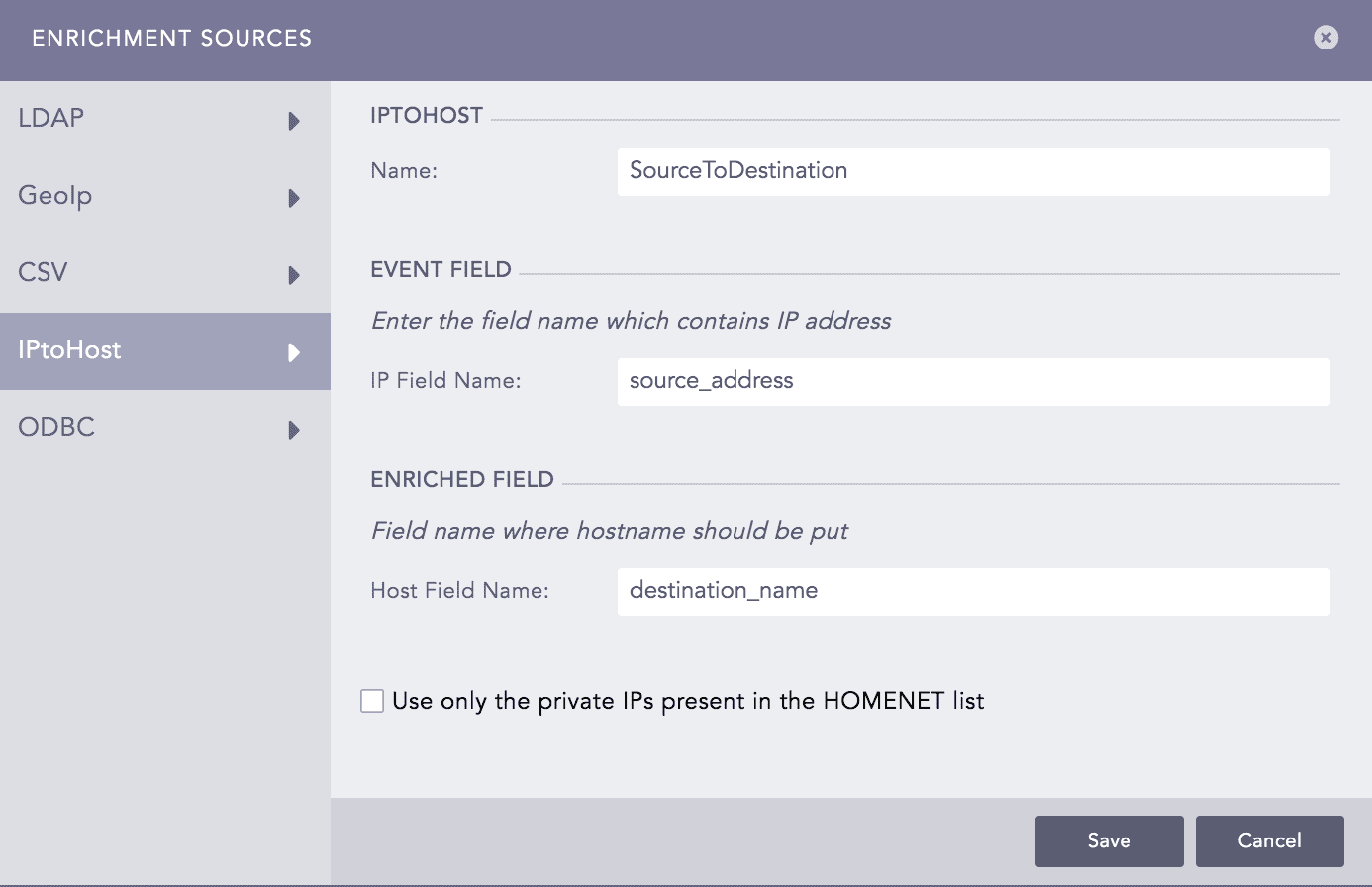
Adding IPtoHost as an Enrichment Source
Enter a Name.
In IP Field Name, enter the field name which contains an IP Address.
In Host Field Name, enter the field name where the hostname should be kept.
If you select Use only the private IPs present in the HOMENET list , Logpoint enriches only the logs with the IP field name present in the HOMENET list.
Click Save.
You can now add a new enrichment policy using the enrichment source you created above. To do so, go to Adding Enrichment Policy.
In the example below, you can see IPtoHost used as an Enrichment Source. If a log contains the field source_ip_address, Logpoint enriches the log using the data from the DNS Server.
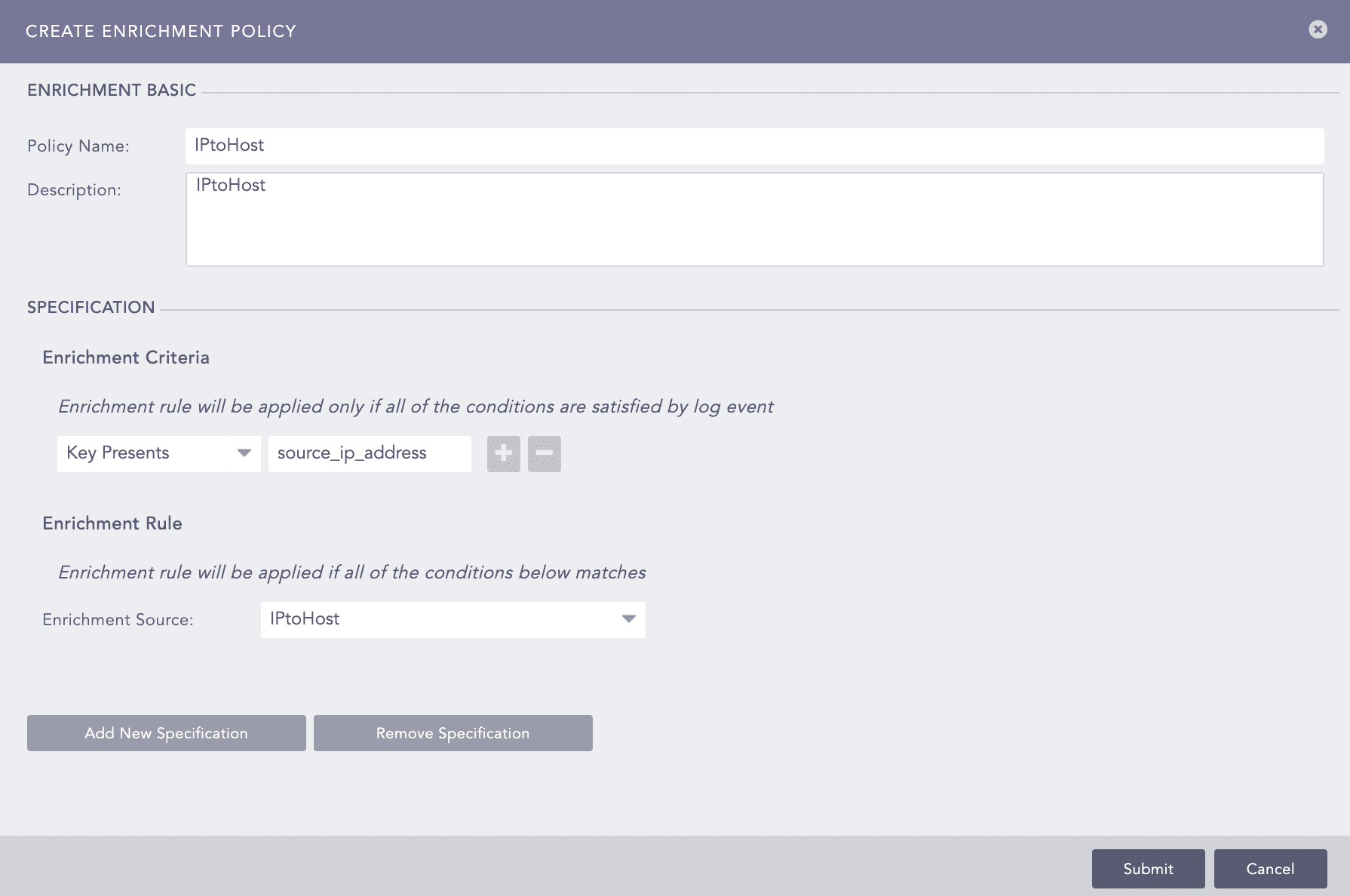
IPtoHost Enrichment Policy